


Sunbird dcTrack
Sunbird dcTrack DCIM is a data centre infrastructure management platform used for data centre asset management, data centre capacity management, infrastructure visibility, audit support, workflow support, and operational planning across data centre environments. It helps teams manage IT equipment, supporting infrastructure, cabinets, racks, devices, rack elevations, parts, spares, custom fields, power, space, cooling, data ports, power ports, and capacity through a more accurate operational view of assets, resources, locations, and infrastructure relationships. The Sunbird dcTrack DCIM - Custom Make App is a Make.com custom app that makes the Sunbird dcTrack API easier to use inside Make scenarios by packaging API operations into user-friendly modules for searching, retrieving, creating, updating, and connecting dcTrack records. It provides a practical Sunbird dcTrack integration layer for Sunbird DCIM automation, DCIM automation, asset lifecycle automation, and repeatable data centre workflows, helping data centre operations teams, DCIM administrators, infrastructure engineers, automation engineers, facilities teams, and ITSM teams reduce manual data entry, connect dcTrack with reporting, monitoring, approval, and workflow tools, and keep asset, location, rack, and capacity data aligned across systems.
dcTrack Infrastructure Visibility
Sunbird dcTrack provides a structured operational view of data centre assets, racks, cabinets, devices, ports, power, cooling, space, and capacity.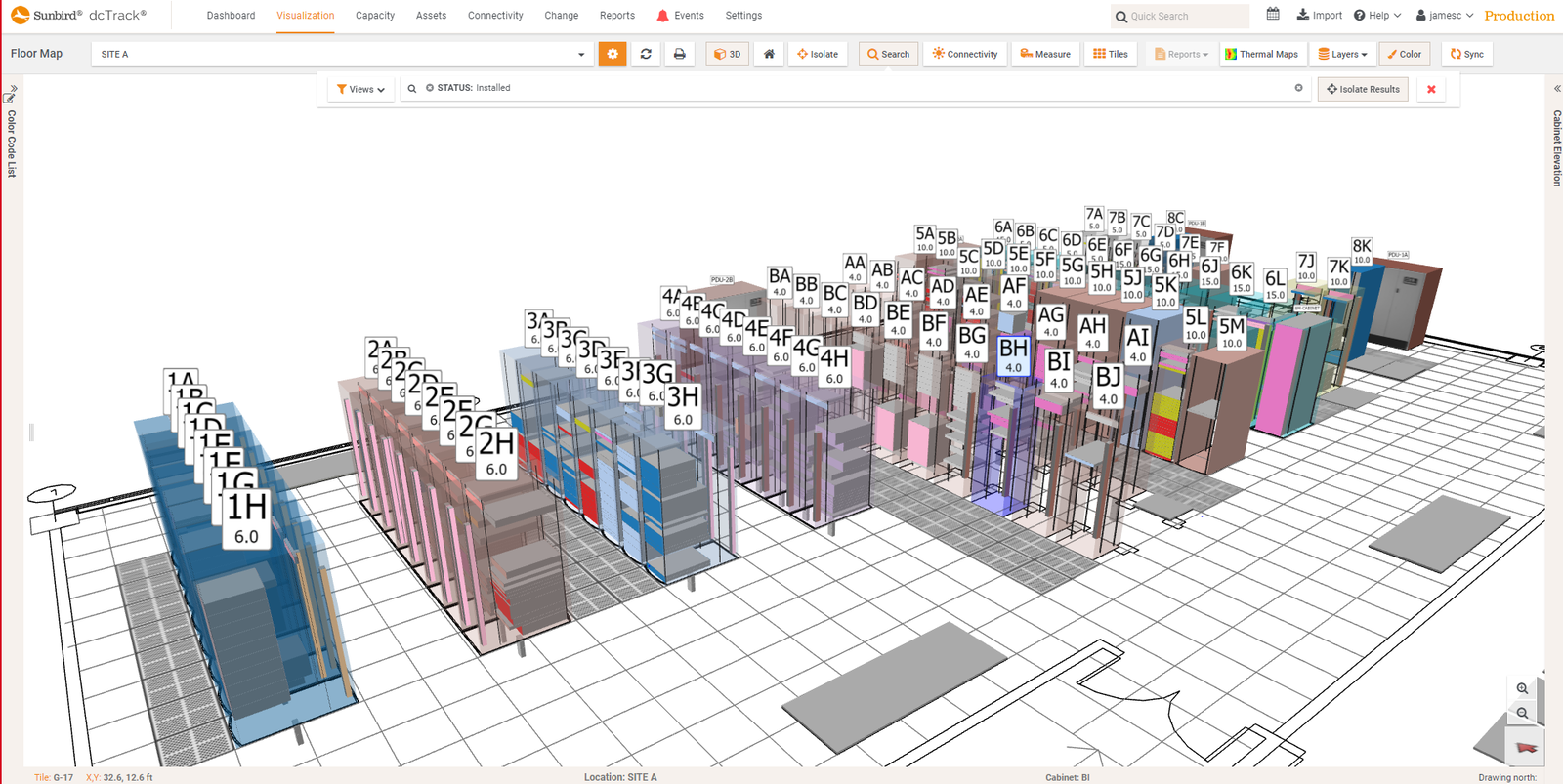
dcTrack Workflow Automation
The Sunbird dcTrack Make app helps teams search, retrieve, create, and update dcTrack records inside repeatable Make scenarios.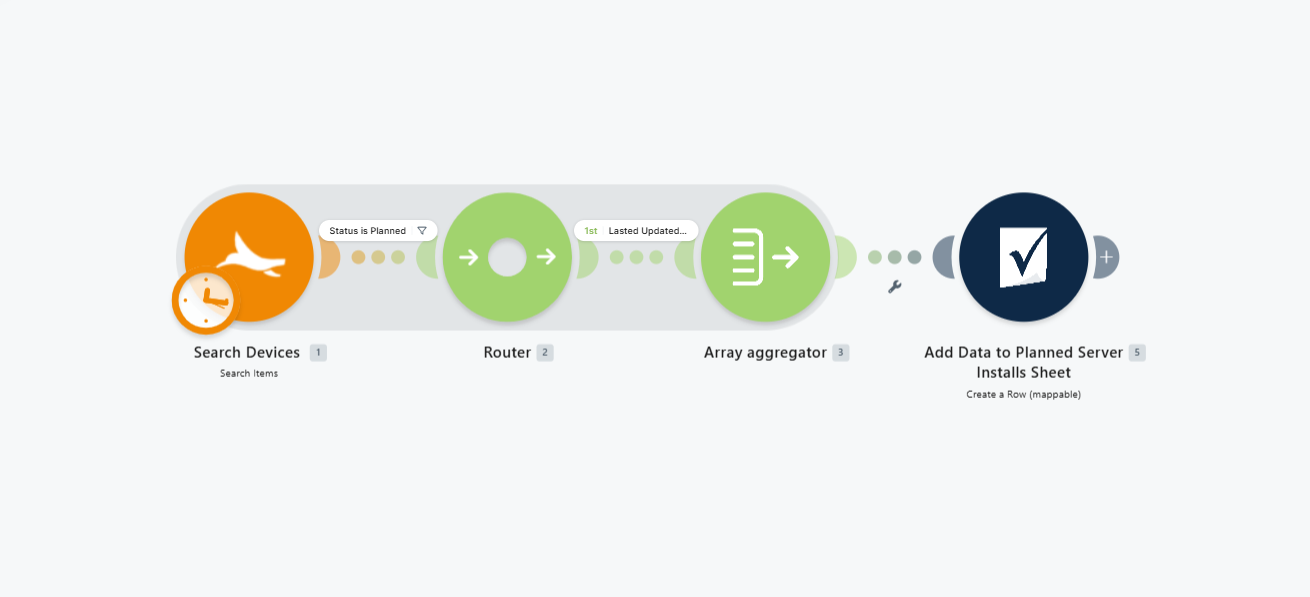
Data Centre Operations
Sunbird dcTrack supports data centre asset management, capacity planning, provisioning, audit support, and operational planning across data centre environments.
What's Included
- ☑️Create a Item
Creates a new item.
- ☑️Create a Location
Creates a new location.
- ☑️Create a Make
Creates a new make entry.
- ☑️Create a Model
Creates a new model.
- ☑️Create a Sub-Location
Creates a new sub-location.
- ☑️Delete a Make
Delete a make given the ID.
- ☑️Delete a Model
Delete an model using the model ID.
- ☑️Delete a Model Image
Deletes the image associated with a model.
- ☑️Delete an Item
Deletes an item.
- ☑️Delete a Sub-Location
Deletes the given sub-location
- ☑️Delete a Location
Delete Location given the ID
- ☑️Get an Item
Retrieves an item by its unique ID.
- ☑️Get all Sub-Locations for a Location
Returns a list from the Sub-Location Hash.
- ☑️Get all Sub-Locations of a Given Type
Retrieves sub-locations by type.
- ☑️Get a Location
Retrieves a specific location by its ID.
- ☑️Get a Model
Retrieves model details by its ID
- ☑️Make an API Call
Performs an arbitrary authorized API call.
- ☑️Search Items
Searches for items using filters.
- ☑️Search Locations
Returns a list or all Locations
- ☑️Search Makes
Search for a make using the make name and special characters.
- ☑️Search Models
Retrieves a list of models based on search criteria.
- ☑️Update a Location
Updates details of an existing location.
- ☑️Update a Make
Updates the details of an existing make.
- ☑️Update a Model
Updates details of an existing model.
- ☑️Update an Item
Updates details of item.
- ☑️Update a Sub-Location
Update a sub-location by ID.
- ☑️Upload a Model Image
Uploads an image for a specific model.
